
In ChartVPS Client Portal, it’s easy to view and manage your account and active services. With everything being doable in the same place, it’s quite convenient!
Note
Dashboard
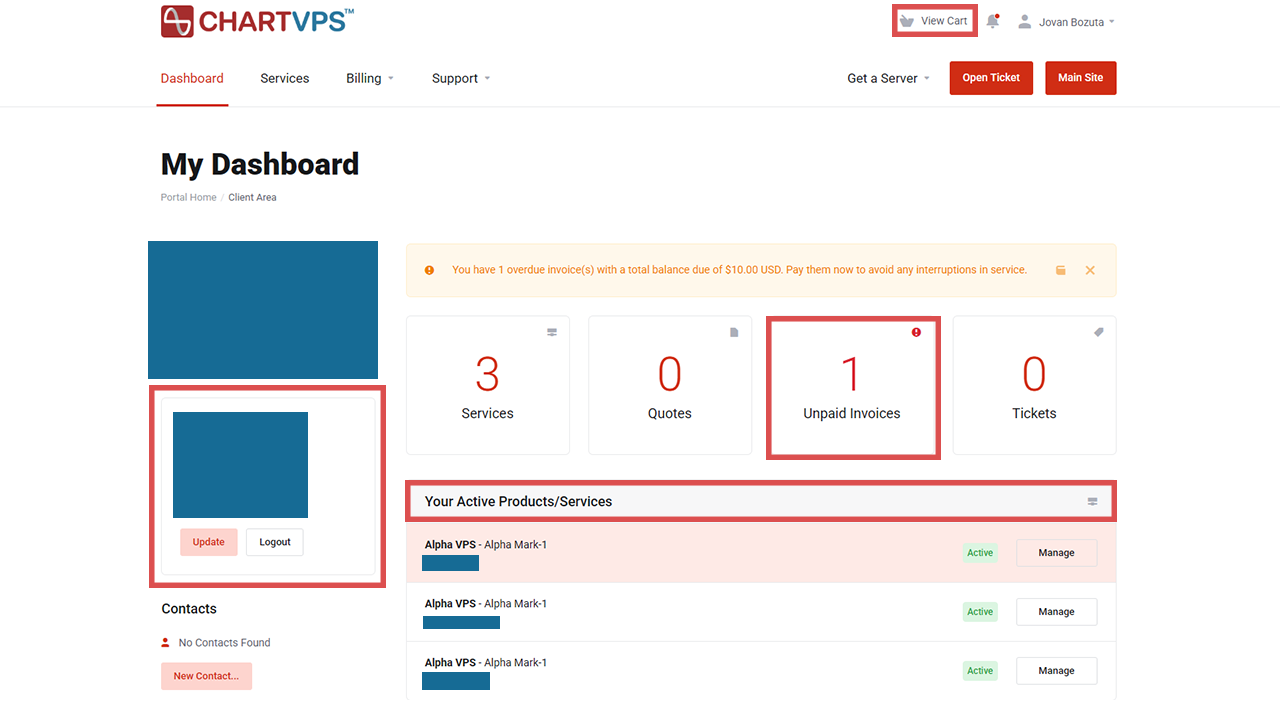
As soon as you’ve logged into your account, you’ll be redirected to your Dashboard. This is where you can see all the information and features related to your account and services. You check out your account details, manage active services, manage your invoices, open a ticket, view your cart, and more!
Services
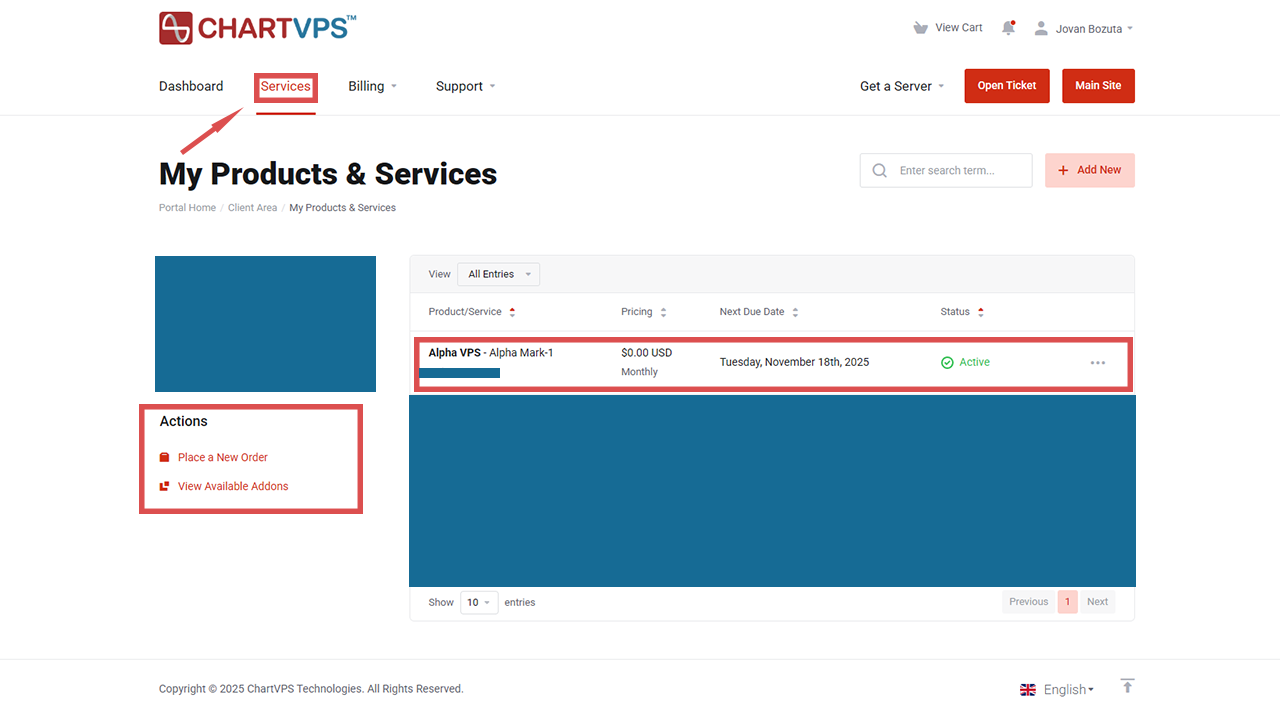
Moving on over to the Services tab, this is where you can check our available Add-Ons and place a new order if you’re needing another server. You can also choose the service you want to manage by clicking on it.
Billing
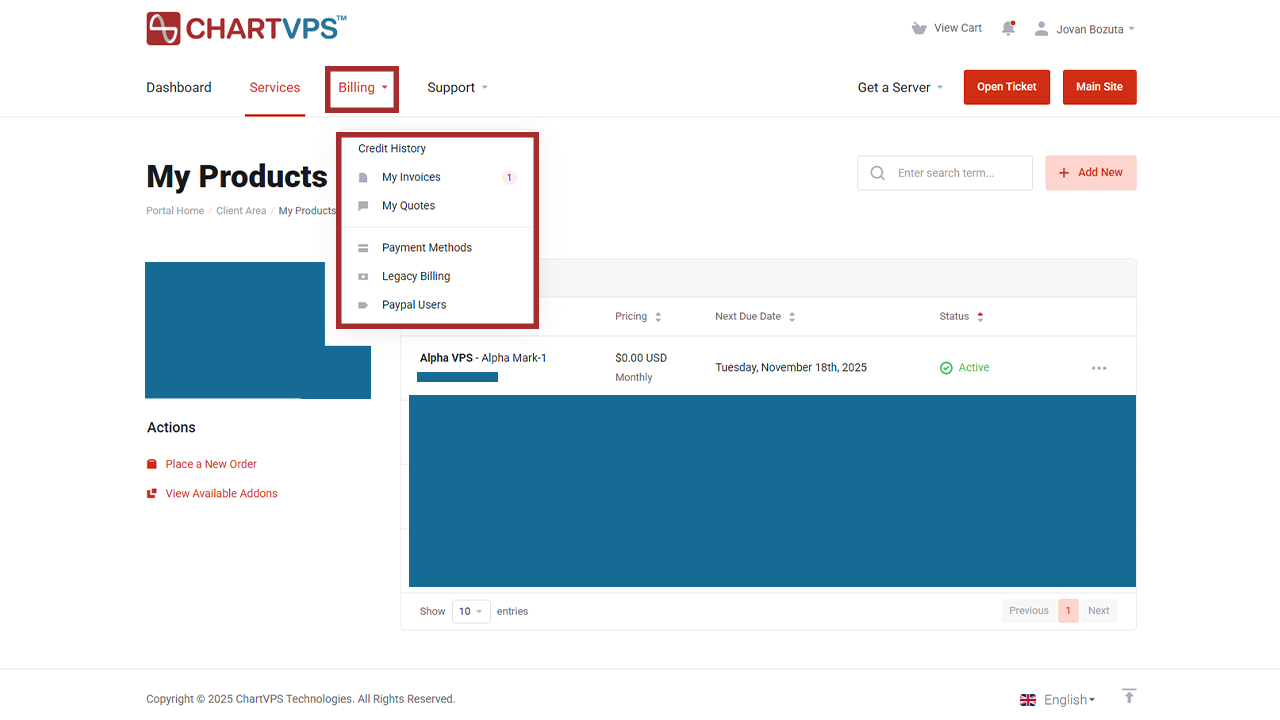
Onto the Billing tab. When you click it, a little drop-down menu will appear, where you can view your invoices, manage credit, manage payment info, etc.
Support
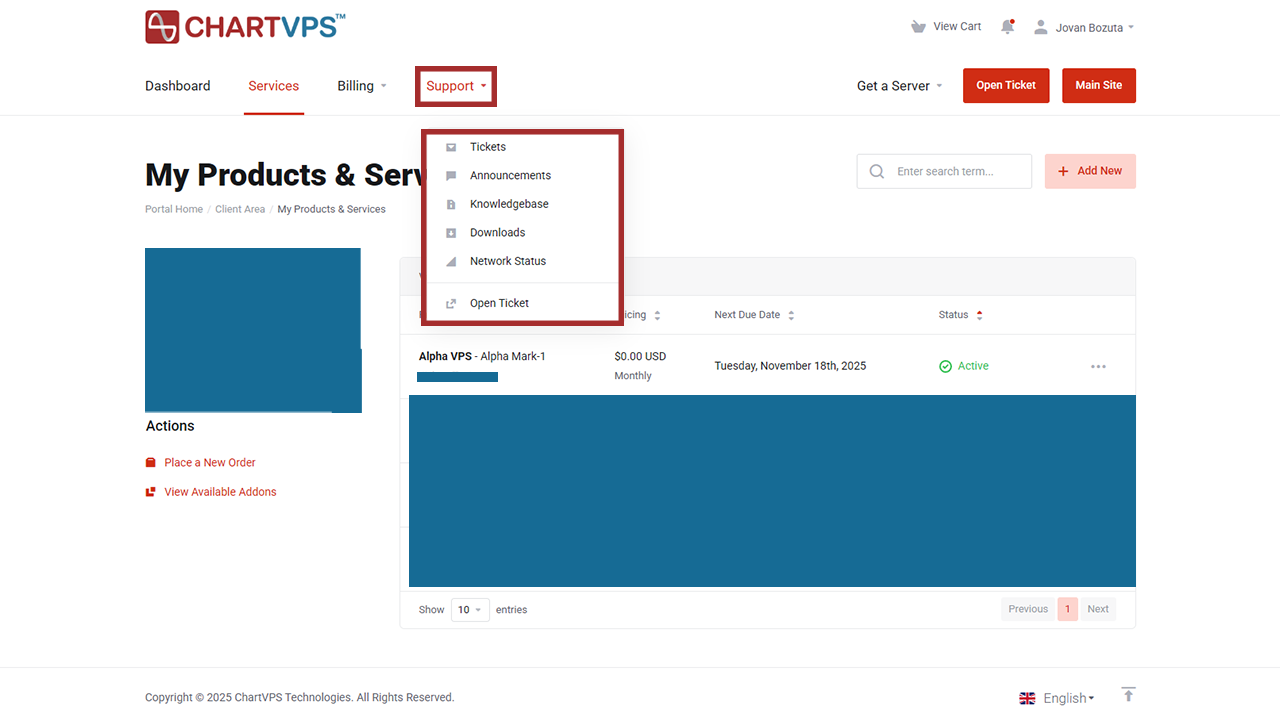
Finally, there’s the Support tab. After clicking it, you can view your active tickets, open a new one, check announcements, access the knowledgebase, etc.
Here’s the short video tour on how to use the ChartVPS Client Portal:
Useful Links:
- Finding your Server or VPS login credentials – All the info about your server is now securely stored on your ChartVPS account!
- Setting up the payment information – Learn how you can easily manage your cards and default payment method!
- Controling the Server or a VPS from directly from the portal – Connect through the console, access to power options, and manual backup creating.
- Managing ChartVPS Wallet and Credit Balances – Review, top-up, and use the credit for outstanding invoices manually.
- Requesting the Services Cancellation – Stop subscriptions for the services you don’t need anymore.