
NinjaTrader’s performance may occasionally degrade due to various factors. A commonly effective first step in resolving these issues is to perform a repair on the NinjaTrader application.
Note
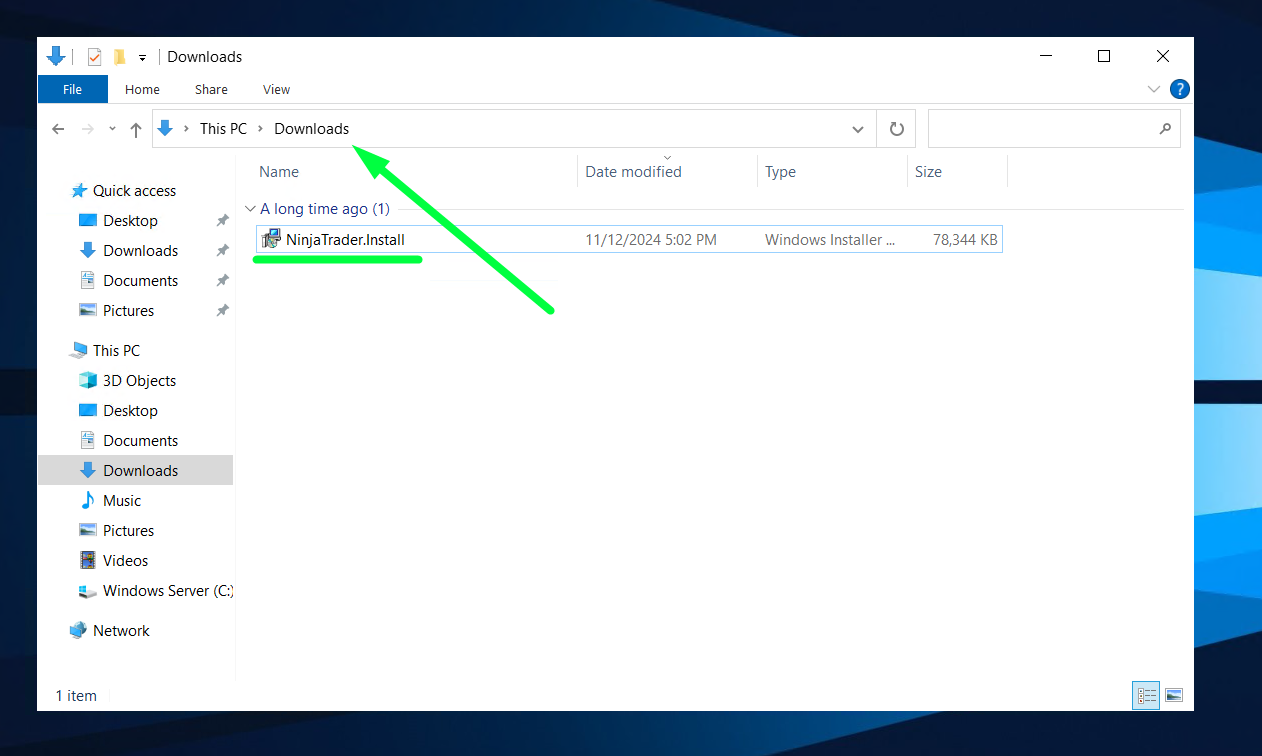
- Find the NinjaTrader installation file you downloaded. In most cases- it’s located in “This PC” > “Downloads“:
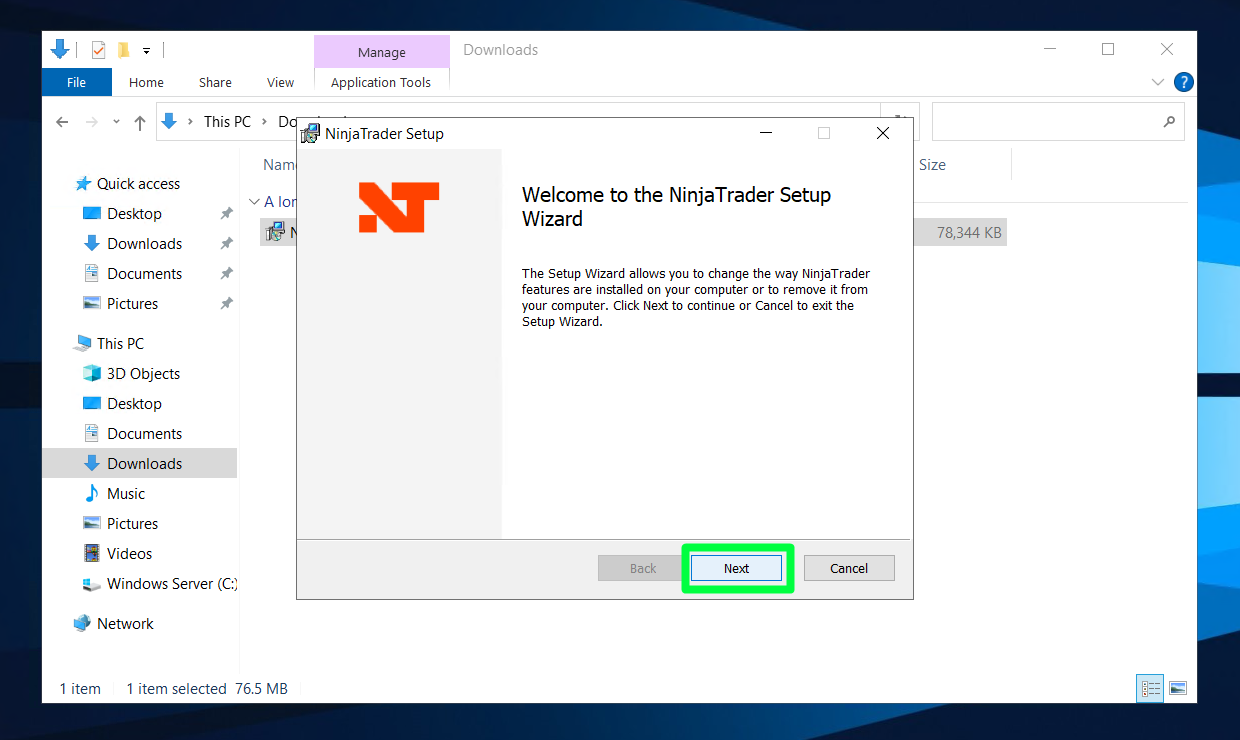
- Run the installer, on the first step- click “Next”:
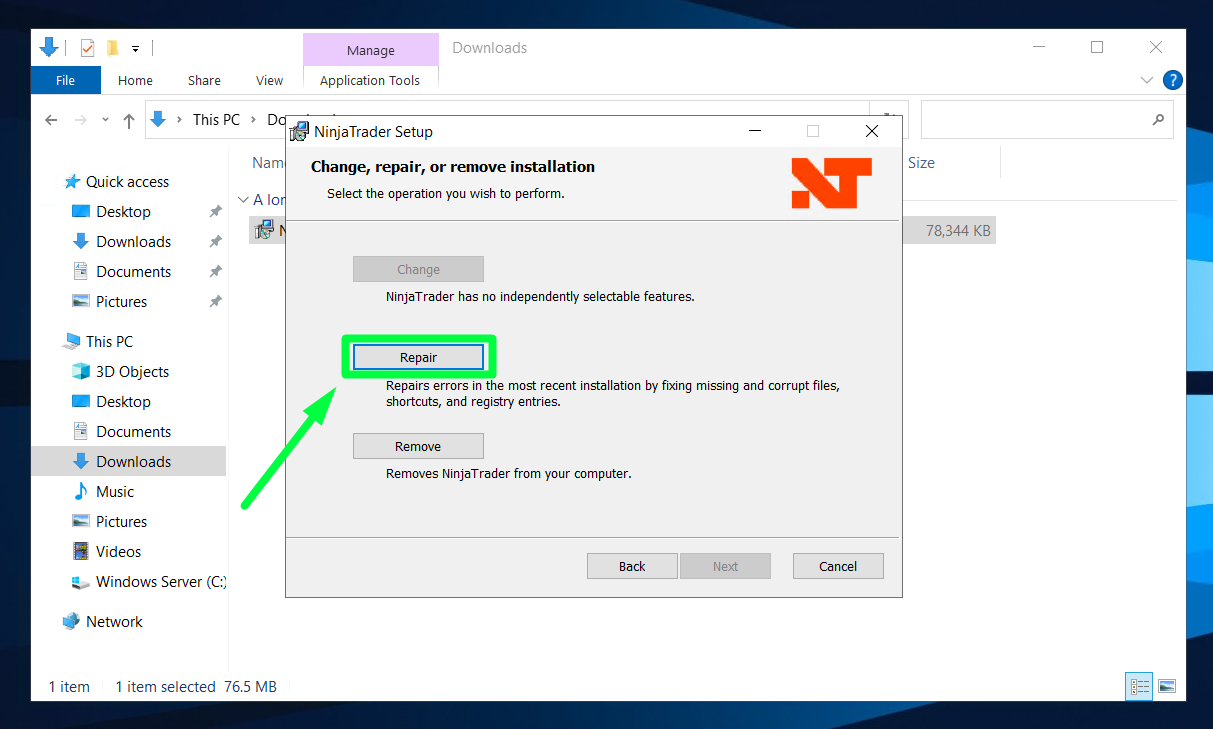
- On the second step in installer- choose the “Repair” option:
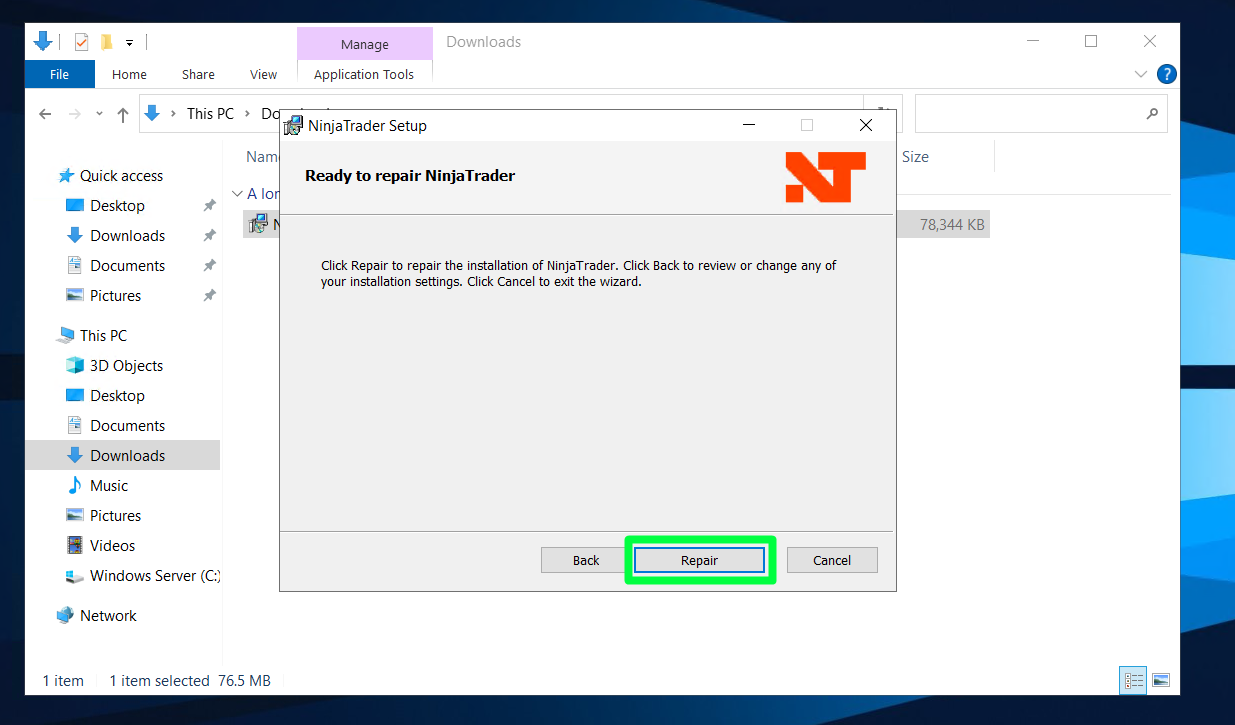
- On the third step- it will ask you to confirm it. Click on “Repair” again:
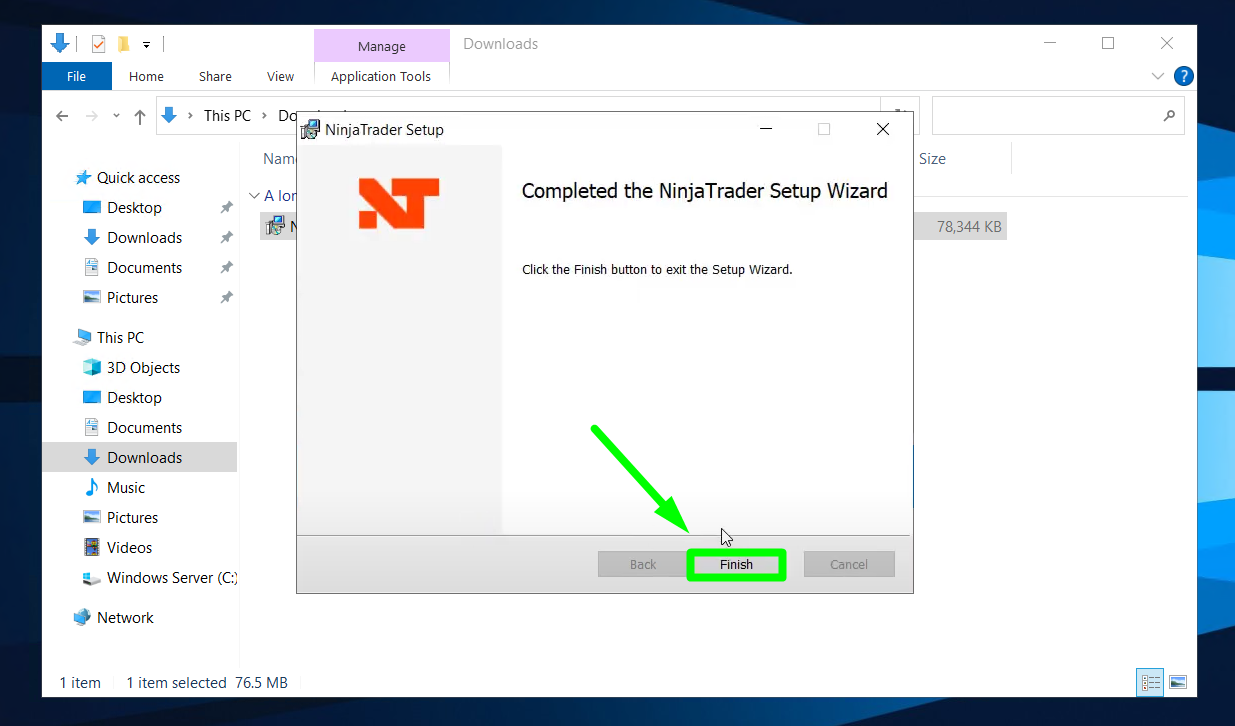
- Repairing process will begin , so just click “Finish” once it’s done:
However, you can always reach out to us and we can do it for you if you feel insecure about doing it
Note
- Also a great way to improve NinjaTrader 8 performance is to clear cache, you can check the guide here: https://chartvps.com/helpdesk/how-to-clear-ninjatrader-8-cache/